

Appearance
Anonymous Timeline
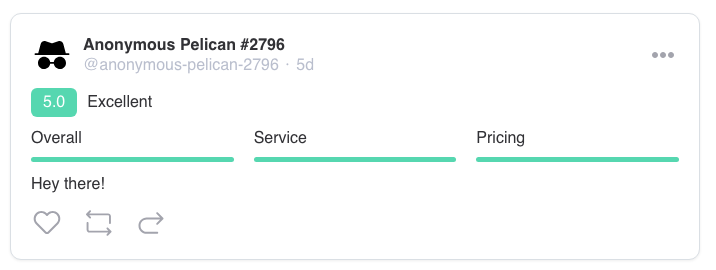
The Anonymous Timeline function adds a "Post anonymously" option when posting or replying on post walls and review feeds. Readers see a stable pseudonym; administrators always see the real identity.
Overview
Anonymity is applied on the server before the response is sent — the real name, avatar, and profile link never reach the browser, so reading the raw network traffic shows only the pseudonym. Anonymity is toward other members, not toward the site, which is what keeps moderation possible.
Key Features
- "Post anonymously" toggle in the composer on post walls and review feeds
- Stable pseudonyms like "Anonymous Falcon #4821" with a generic avatar and no profile link
- Admins see through; optionally the wall owner can too
- Anonymous Handle column on the Users screen
- Per-widget forced mode — every post through a given Timeline widget is anonymous
- Notifications and event emails about anonymous posts use the handle
Setup Instructions
- Navigate to Voxel Toolkit → Functions
- Find Anonymous Timeline, toggle it on, and click Save Changes
- Open Configure to choose where anonymity is offered and who can see through
No template changes are needed — the toggle appears in Voxel's own composer on the enabled feeds.
Settings
Where anonymity is offered
| Setting | Default | What it covers |
|---|---|---|
| Post walls | On | The wall feed on listings and other Voxel posts |
| Reviews | On | Review feeds, including anonymous review replies |
Profile timelines are excluded by design: an anonymous post appearing on the author's own profile would identify them, so anonymity is only offered where it can't self-identify.
Who can see the real identity
| Setting | Default | Notes |
|---|---|---|
| Administrators | Always on (not optional) | Admins see the real name marked "(anonymous as Handle)" |
| The wall owner | Off | The author of the post whose wall or reviews the anonymous item was posted to |
Only users with the administrator capability pierce — editors and moderators see the pseudonym like everyone else, unless they own the wall and the wall-owner option is on.
What Each Viewer Sees
- Readers — "Anonymous Falcon #4821" with a generic avatar and no profile link. The same member keeps the same handle everywhere, so a thread's anonymous author can be followed without being identified
- The author — their own handle with a "(you)" marker: an honest preview of exactly what is public. Their own like is also hidden from the likers strip
- Admins (and the wall owner, if enabled) — the real name as "Jane Doe (anonymous as Anonymous Falcon #4821)"
Handles are derived from a random per-user token stored in user meta, not from the account itself, so they are stable and cannot be reversed into an identity.
The Users Screen
The WordPress Users screen gains an Anonymous Handle column mapping pseudonyms to accounts, so staff can identify a handle when moderation requires it. Users who have never posted anonymously show a dash.
Notifications
Notification subjects and event emails about anonymous posts use the handle ("Anonymous Newt #3572 submitted a review"). Admins keep real names in their own notifications. If the same person appears in your notification list both anonymously and normally on one page, both entries show the handle — over-hiding is deliberate; leaking is not.
Forced Mode Per Widget
A Timeline (VX) widget can require anonymity. In the widget's Timeline settings section, set Anonymous posting (VT):
| Option | Behaviour |
|---|---|
| Optional — member chooses | The composer shows the "Post anonymously" toggle (default) |
| Forced — every post is anonymous | Everything posted through this widget is published anonymously, enforced on the server, with no choice shown |
The control only applies when the widget's mode is a post wall or review feed, and requires the function to be enabled.
Limitations
- Anonymity is chosen at publish. Editing a post afterwards cannot add or remove it
- Likers on anonymous posts show normally — they are not the anonymous party; only the anonymous author's own like is hidden
- On Voxel 1.7.8.7 and newer the function uses Voxel's official timeline config filters for the read path; older Voxel versions use an earlier mechanism that also works but is more version-sensitive
The toggle is cosmetic; the enforcement is not
The client-side switch is presentation only. The anonymity flag, the feed restrictions, and forced mode are all enforced on the server.
Troubleshooting
The Toggle Doesn't Appear
- Check the function is enabled and the feed type (post wall / reviews) is ticked in its settings
- The toggle only appears on single-post pages — profile and newsfeed timelines never offer it, by design
A Widget Set to Forced Still Shows the Choice
- Re-save the Elementor template — forced mode is read from the saved template data (cached briefly), not the live page
Requirements
- Voxel Theme with the timeline in use (post walls and/or reviews)
- Voxel Toolkit plugin with Anonymous Timeline enabled