

Appearance
Validation
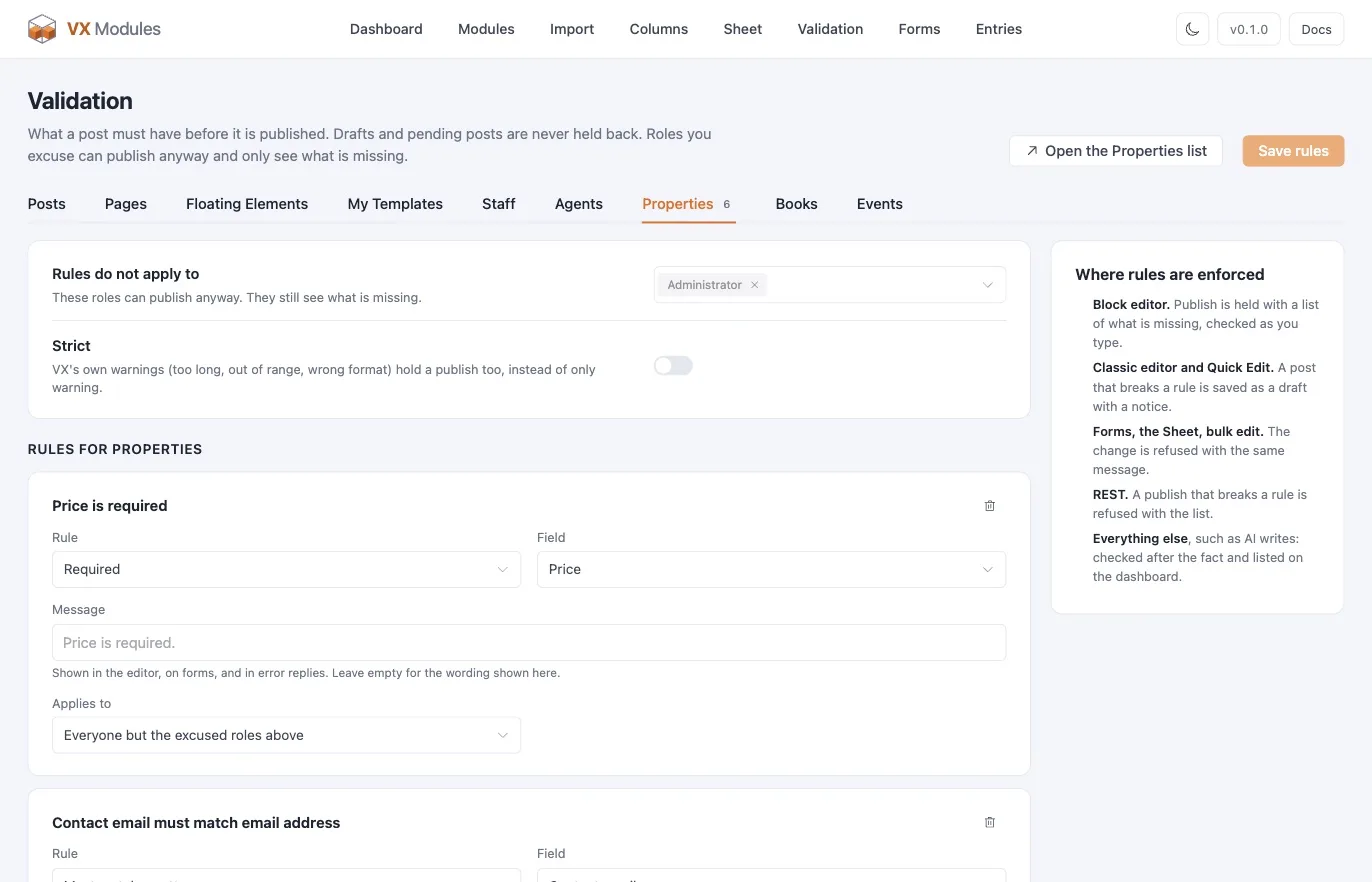
VX's own field settings can mark a field required. Validation goes further: it holds a post back from being published until the post as a whole makes sense, and it does that everywhere a post can be written, not just in the block editor.
Turn it on: VX Modules → Modules → Validation. Rules are set per post type on the Validation screen.
The five rule types
| Rule | What it checks |
|---|---|
| Required | The field has a value |
| Required when | The field has a value, but only when another field has a certain value |
| Unique | No other post of this type has the same value |
| Pattern | The value matches a pattern |
| One of | At least one of several named fields is filled |
VX's own required flags count as rules too — they appear on the screen already in place, marked as coming from VX, so one list tells you everything holding a post back.
Patterns
| Pattern | Accepts |
|---|---|
| US ZIP code | 5 digits, or 5-4 |
| Phone number | Digits with spaces, dashes, dots, or parentheses |
| Digits only | Numbers, nothing else |
| Letters only | Letters, spaces, apostrophes, dots, and dashes |
| Email address | A valid email address |
| Web address | Starts with http:// or https:// |
| Custom pattern | A regular expression of your own, without the slashes |
A custom pattern is tested when you save the rule; an expression that does not compile is refused rather than silently never matching.
Excused roles
Pick roles that can publish anyway. They are not hidden from the rules — an excused editor still sees the list of what is missing, with a note that their role can publish regardless. Everyone else is held.
A rule can also name its own roles, overriding the post type's list, for the cases where one rule is stricter than the rest.
Visitors are never excused.
Drafts are never held
Rules apply to publishing, not to saving. A draft or a pending post can be as incomplete as you like — that is what drafts are for. The check happens when the post tries to become public.
Where rules are enforced
| Where | What happens |
|---|---|
| Block editor | Publish is held with a list of what is missing, rechecked as you type |
| Classic editor and Quick Edit | The post is saved as a draft with a notice |
| VX Modules forms | The submission is refused with the message beside the field |
| The Sheet | The cell is refused with the message in place |
| Bulk edit | The change is refused with the same message |
| REST | A publish that breaks a rule is refused |
| Anything else | Checked after the fact and listed on the dashboard |
That last row is the one that matters on an AI-assisted site. An agent writing through an ability, an importer, a sync job — none of them go through an editor, so none of them can be stopped at the door. They are checked after the write and surfaced on the dashboard, so nothing published against the rules stays invisible.
Strict mode
With strict on, a post type's values are also run through VX's own field validation on the way to publish — the type checks and constraints VX itself defines, not just your rules. Turn it on when you want VX's own idea of a valid value enforced at publish time as well.
A worked example
A Properties post type that should never publish half-finished:
- Required — Price, Bedrooms, Photo
- Required when — Rental terms required when Listing type is
rental - Unique — MLS number
- Pattern — ZIP code matches US ZIP code
- One of — at least one of Phone, Email
Excuse Administrator so you can push something live in a hurry, and leave Author held.