

Appearance
FluentCRM integration
With FluentCRM active, every form's Settings → Integrations page can add the person who submitted it as a contact.
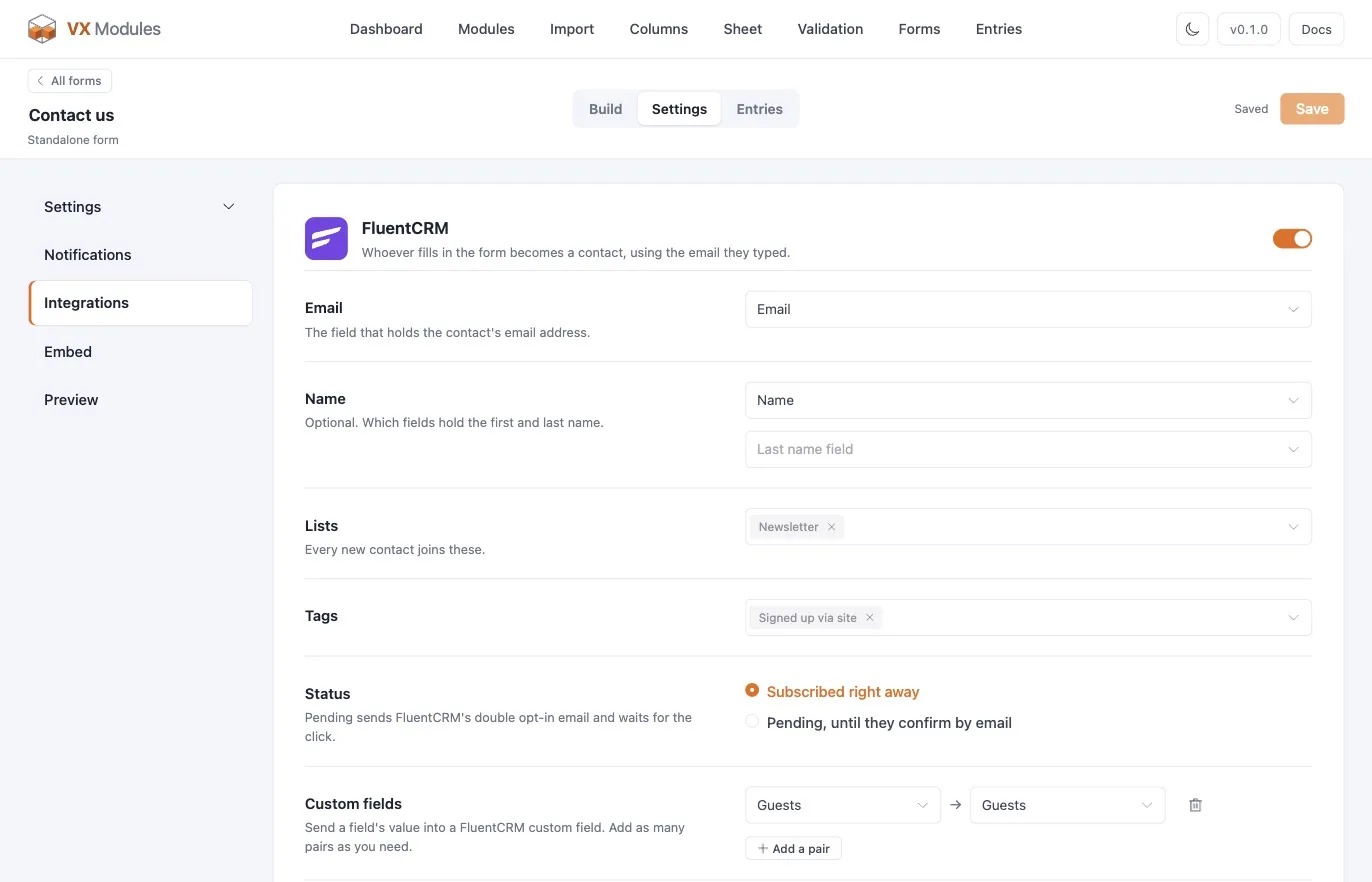
Turning it on
| Setting | What it does |
|---|---|
| FluentCRM | Whether this form creates contacts at all |
| Lists | Which lists to add the contact to |
| Tags | Which tags to apply |
| Status | Subscribed — added straight away. Pending — FluentCRM sends its double opt-in email and waits |
| Update existing contacts | Whether an existing contact's details are updated, or left alone |
Where the email comes from
It depends on the kind of form:
| Form kind | Email and name |
|---|---|
| Registration | The account's own email and name — nothing to map |
| Post, standalone, product options | Pick the form's email field, and optionally a first-name and last-name field |
A post or standalone form without an email field cannot create a contact. The page says so and points you back to the Build tab.
When it runs
Registration forms choose the moment:
| Choice | When the contact is created |
|---|---|
| Right away | As soon as the form is submitted |
| Once approved | When someone approves the account |
| Once verified | When the person opens the verification link |
Once approved and once verified only make sense when the form actually holds accounts that way — otherwise the moment never arrives.
For other kinds of form, the contact is created on submission.
Custom contact fields
Any form can pair its own fields with FluentCRM's custom contact fields. Add a pair, pick a form field on the left and a contact field on the right, and the value travels with the contact.
That is how a Company field on your form ends up on the contact record rather than lost in an entry — and it is what makes segmenting on it possible later.
Double opt-in
Setting the status to Pending hands the confirmation to FluentCRM: it sends its own double opt-in email and only marks the contact subscribed when they confirm. Where your list rules require confirmed consent, that is the setting to use, and the form's own confirmation message should say an email is on the way.
What it does not do
The integration creates and updates contacts. It does not start automations directly — use FluentCRM's own automation triggers on list applied or tag applied, which is what those triggers are for, and keeps the automation editable where the rest of your automations live.