Appearance
Widgets
Eight widgets, all in Elementor's Voxel Points category. Every one of them:
- renders a live sample in the Elementor editor, so you can style it without test data;
- renders nothing to logged-out visitors — except the Rewards Store, which shows a configurable login message;
- carries full style controls in Voxel's own control idiom (accent colour, text colours, typography).
Points Balance, Points History, Member Level and Member Badges also have a Member field. Leave it empty for the logged-in visitor, or set a user ID — or a dynamic tag such as @tags()@author(id) to show the member whose profile the widget sits on. See Which Member a Widget Shows.
Leaderboard
Ranks members by points earned in a period: all-time, this month, last 7 days, or a custom number of days. Set how many places to show, and optionally pin the current member's own row at the bottom with their true rank for that same period, even when they are outside the top N.
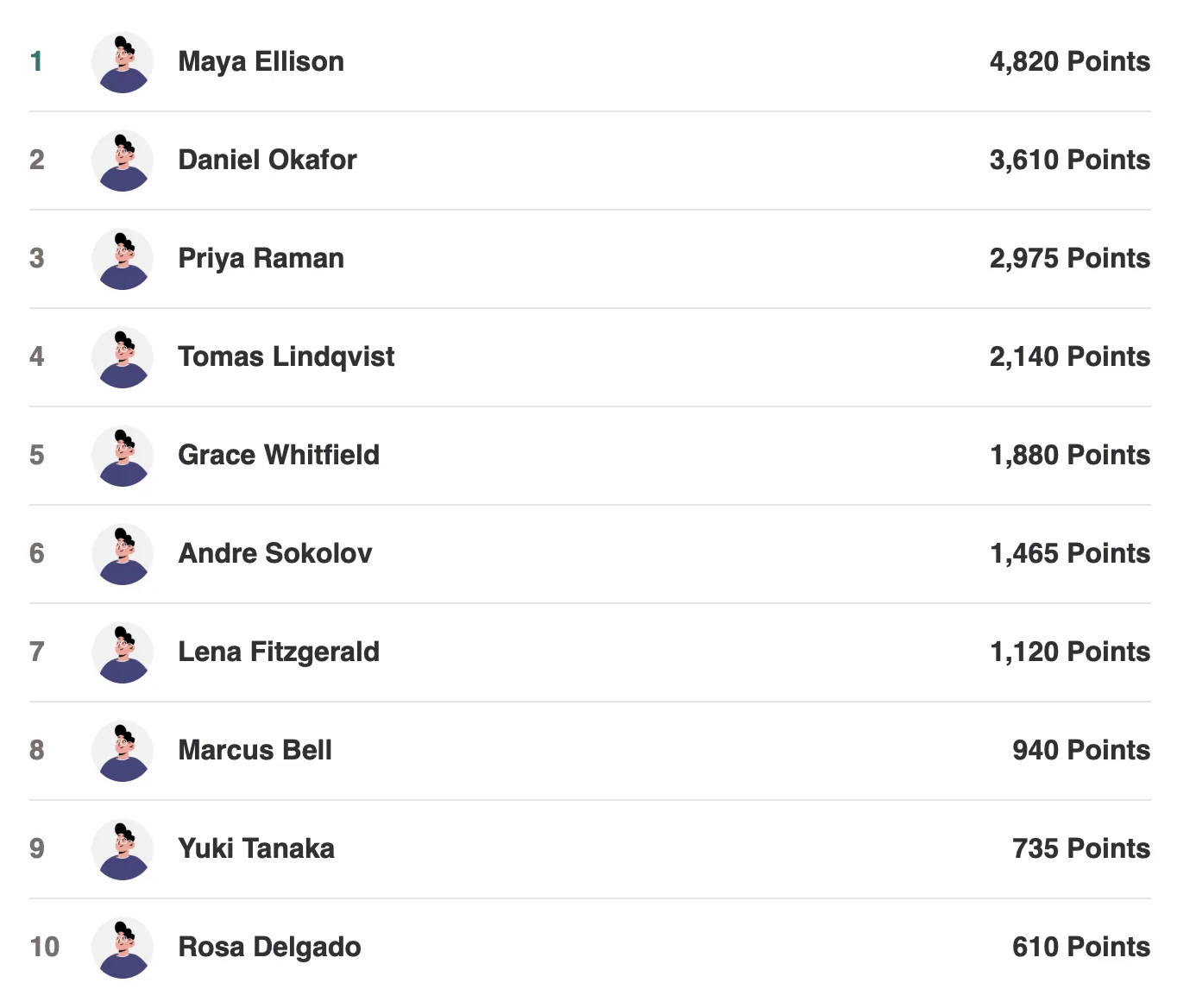
Results are cached, but the cache is retired the moment anything changes the standings — an award, a spend, a reversal, a manual adjustment, or a member hiding themselves — so the board is never behind. Excluded roles come from Settings, and each widget can exclude additional roles of its own.
Points Balance
The member's current balance, with an optional label.
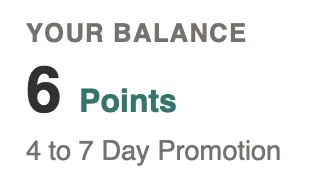
It can also show a next-reward teaser — a line like "120 to Homepage Promotion", generated from the cheapest active reward the member cannot afford yet. It turns a bare number into a goal with no copywriting on your part, and hides itself entirely once they can afford everything.
Points History
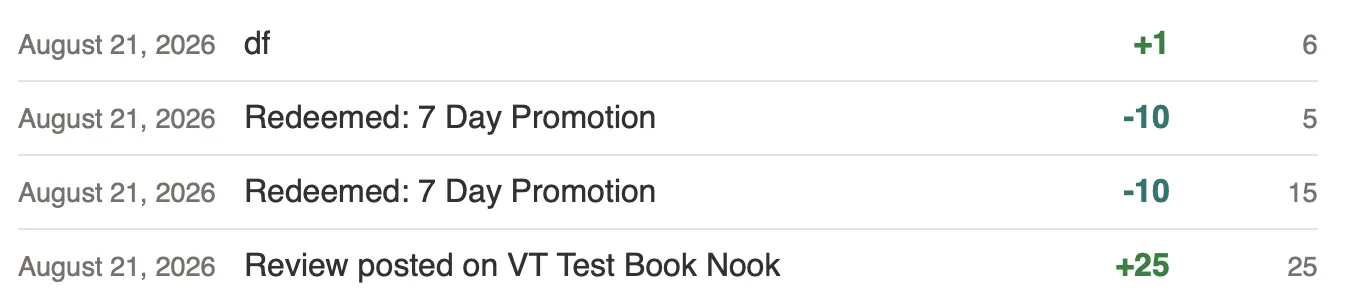
The member's own ledger, paginated: date, what happened, the points, and their running balance after that entry.
How to Earn
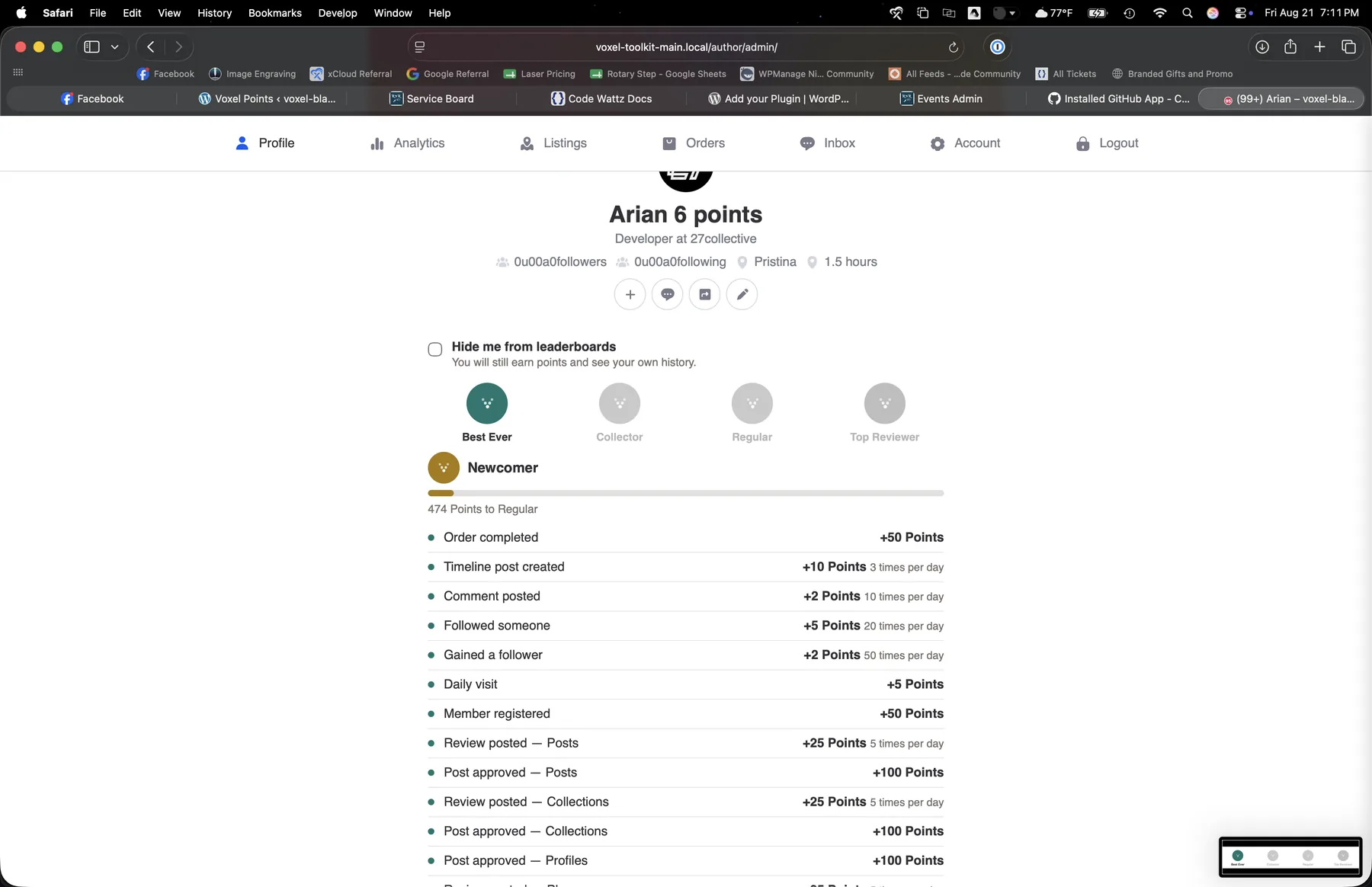
Generated automatically from the rules you have enabled, with each rule's point value and daily cap. No copywriting, and it updates itself whenever you change a rule — so it can never drift out of step with what actually earns.
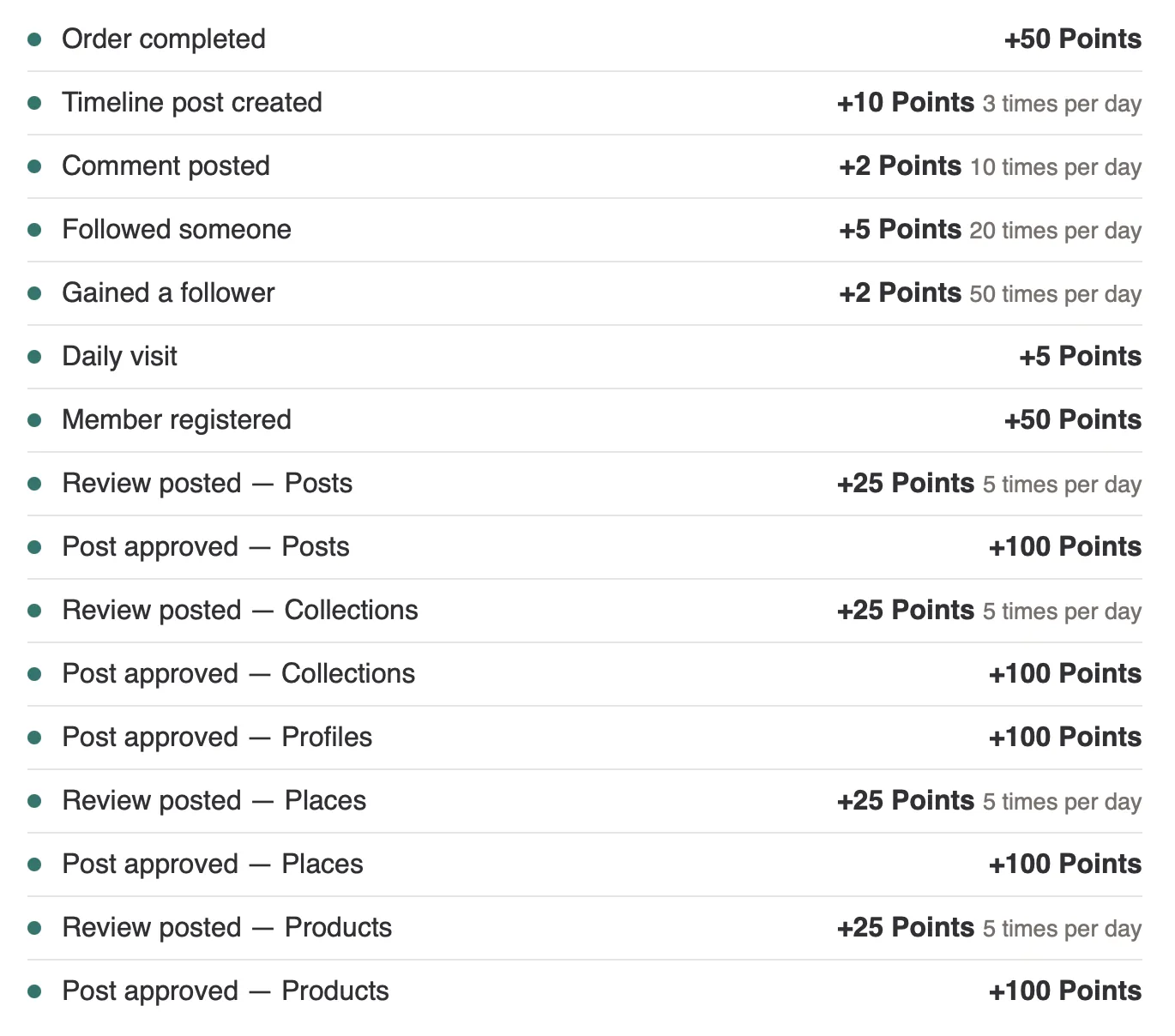
Rewards Store
Reward cards with image, title, description and cost. The redeem button is balance-aware: a member who cannot afford a reward sees "Not enough points" rather than an error after clicking.
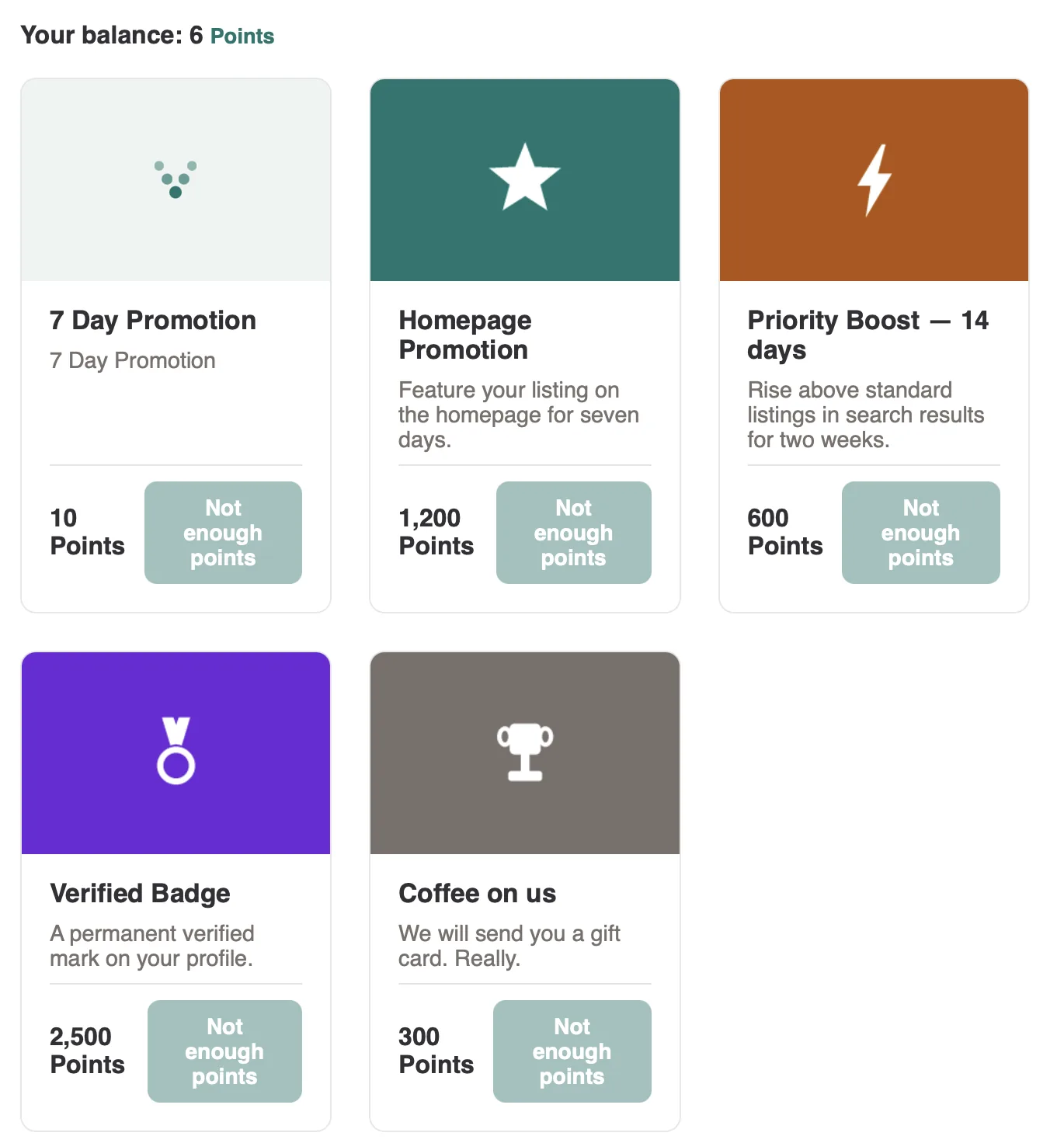
Redeeming opens a confirmation modal, and promotion or boost rewards add a step where the member picks which of their own listings to apply it to.
Rewards to show picks which rewards appear and in what order — drag the rows to reorder. Leave it empty and every active reward shows, so an existing store is untouched.
This is how you run two different stores: put two Rewards Store widgets on a page, give each its own list, and set Voxel's Visibility → User role is on each. Customers see one catalogue, businesses see another.
The selection is presentational
It decides what a store displays, not what a member is entitled to redeem — so the same reward can appear in several stores without duplicating it.
Member Level
The member's current level and a progress bar toward the next one, with how many points are still needed.

Member Badges
Earned badges in colour, and — optionally — the ones still to earn shown greyed out, so members can see what is available to chase.

Leaderboard Privacy
A single control letting a member hide themselves from every leaderboard. They keep earning, keep their history, and keep their own level and badges — they simply stop appearing on public boards.

Turn the whole feature off under Settings if you would rather not offer it.
Pay with Points
The standalone toggle, for a checkout page that is not the cart.
On a cart page you do not need it: the toggle appears inside Voxel's own Cart Summary automatically, directly above the checkout button, and the button changes to Pay with 78 Points. See Paying with Points.
If you put this widget on your cart page as well, remove it — otherwise the page shows two switches for one setting.
All together
Several widgets on one member profile — badges, level with progress, leaderboard privacy, and how to earn: