

Appearance
Offline Payment
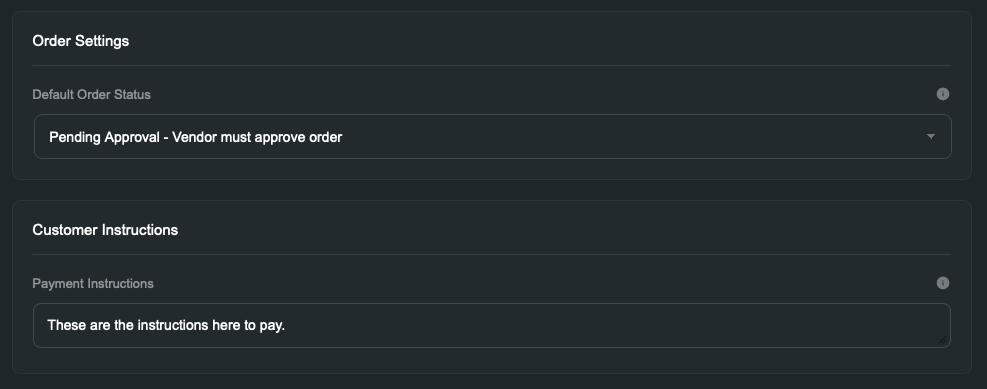
This one is simple, configure the settings as needed. Note, the payment instructions will be sent to the customers as a Voxel note.
Tax Collection
Available since 2.3.0.
Voxel itself only calculates tax through Stripe or Paddle checkout, so offline orders normally have no tax line anywhere. Enable Collect Tax in the Offline Payment settings and the plugin calculates it for you when the order is placed.
| Setting | What it does |
|---|---|
| Collect Tax | Turns tax calculation on for offline orders. |
| Tax Rate (%) | A single percentage rate applied to the order subtotal — e.g. 25 for 25%. |
| Tax Behavior | Exclusive adds the tax on top of your prices (subtotal + tax = total). Inclusive keeps your prices as-is and shows the tax portion contained in them. |
Once enabled, every offline order records the subtotal, tax, and total separately, and the tax line appears automatically:
- on the customer's order screen,
- in your backend order dashboard,
- in any notification email template that includes the order tax dynamic tag.
No template changes are needed. This applies to one-time offline orders and offline subscriptions alike.
Limitations
The tax line appears from the order confirmation onward — the cart summary during checkout is rendered by the Voxel theme and doesn't include it. Tax is calculated on the item subtotal only; shipping charges are not taxed.
Voxel's Built-In Offline Payments
Newer versions of Voxel have their own offline payment options — for example the per-plan toggle under Paid listings → Plans → Settings → Pricing → Offline payments, and the per-product-type offline payment mode.
You do not need to switch these off. While this plugin is active, it takes over the processing of all offline orders on the site, including ones created through Voxel's own toggles. Those toggles still decide where offline payment is offered; this plugin decides how those orders behave.
Two things follow from that:
- Configure offline behavior here, not in Voxel's own offline options. The payment instructions, default order status, and tax collection on this settings page are what apply. Voxel's native offline settings (such as its per-product-type order approval option) are superseded while the plugin is active.
- Tax collection applies to those orders too. A listing plan sold through Voxel's per-plan offline toggle gets the same tax line as any other offline order.
Free offline orders (a zero total) complete immediately — there's nothing to collect, so they don't wait for "Mark as Paid". Orders set to require approval still wait for it. (Since 2.3.1.)