Appearance
Members
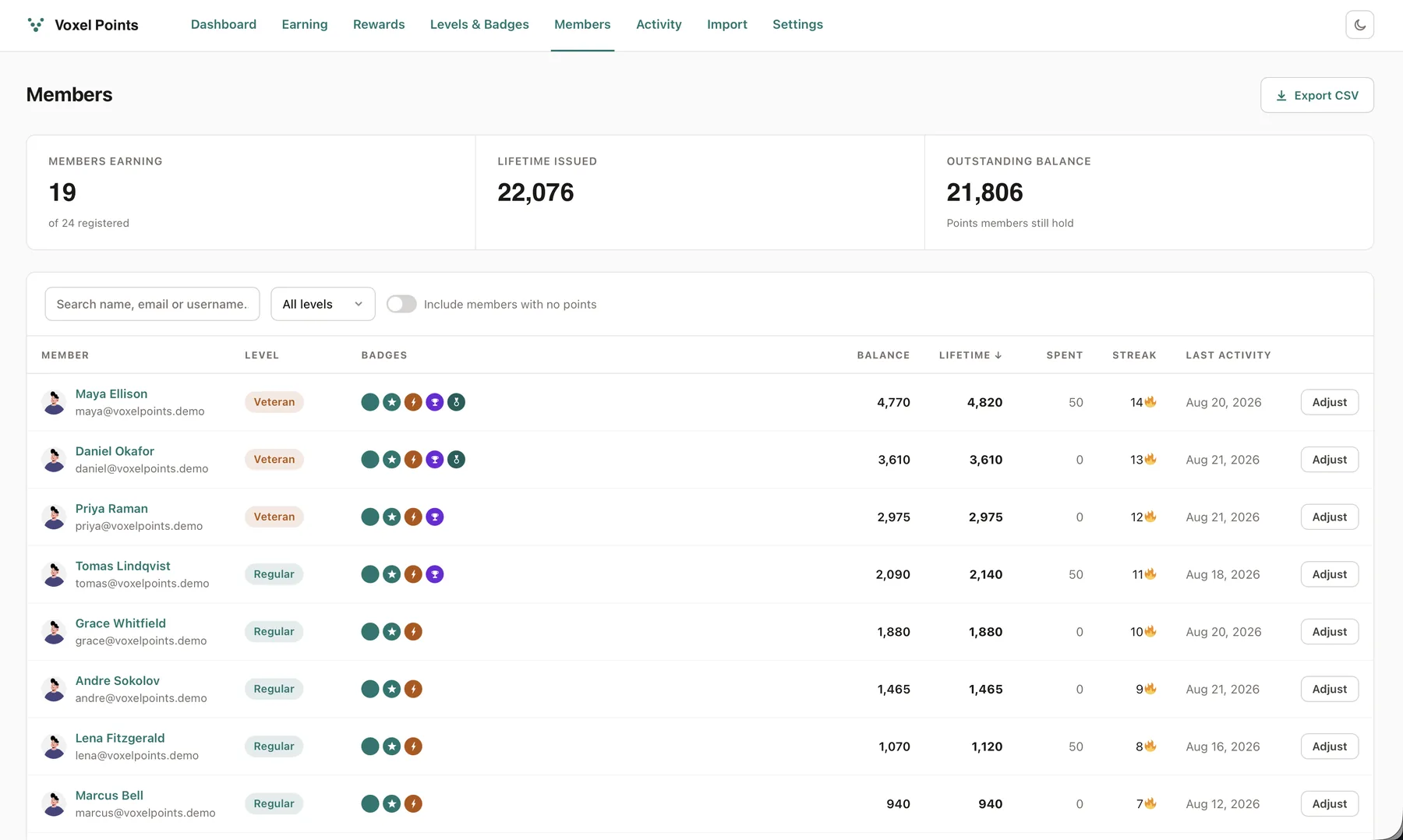
Voxel Points → Members is the whole membership in one table: avatar and name, level, badges, current balance, lifetime earned, lifetime spent, daily streak, and last activity. Sort by any of the point columns, search by name, email or username, and filter to a single level.
By default the list shows only members who have actually earned or spent something — flip Include members with no points to see everyone. A lock icon next to the date marks a member who has hidden themselves from leaderboards. Adjust opens the same manual credit/debit drawer as the Activity screen, pre-filled with that member.
Export CSV downloads exactly the rows your filters are showing, with 16 columns including level name, badge count, badge names, both streak figures, and last activity in your site's timezone. The file opens cleanly in Excel (it carries a UTF-8 byte-order mark, so accented names survive).
The three tiles at the top read: how many members are earning out of the whole membership, how many points have ever been issued, and how many are still outstanding in members' hands — the last is your liability if points buy anything.